

Learn exactly how to boost a post on LinkedIn the right way. This step-by-step guide covers choosing the right post, selecting the best campaign objective, targeting, budget, and measuring real success to get more views, engagement, and leads.
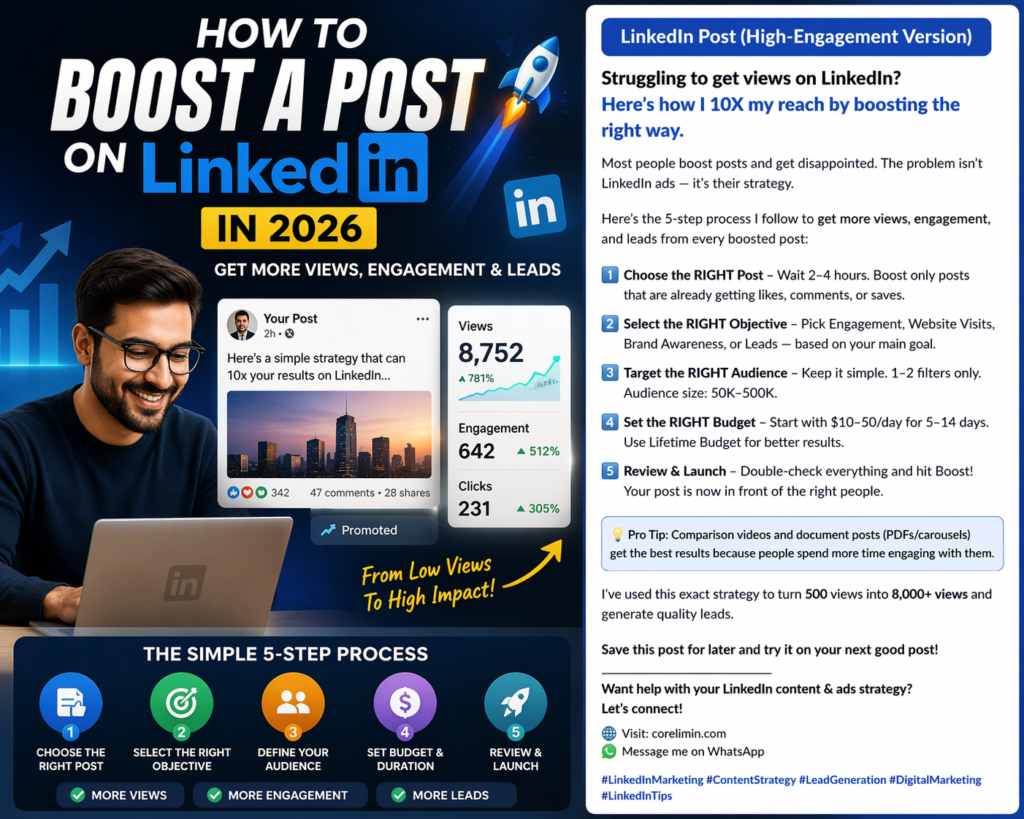
Introduction: Why Most LinkedIn Posts Get Almost Zero Views
LinkedIn has more than 1 billion users, yet the majority of posts receive very few views. Organic reach has become extremely competitive. If your LinkedIn posts are not getting views, you are silently losing business opportunities every day.
Boosting your post is one of the fastest ways to increase reach — but only when done correctly. Random boosting wastes money, while strategic boosting delivers excellent results.
In this guide, you will learn exactly how to boost a post on LinkedIn for better views, engagement, and leads in 2026.
What Does “Boost a Post on LinkedIn” Mean?
Boosting a post means paying LinkedIn to show your already published post to a larger, targeted audience. It converts your normal post into a Sponsored Post while keeping its original comments and authentic feel. You can learn more from LinkedIn’s official sponsored content guide.
It is much simpler than running full ads through Campaign Manager and is ideal for personal profiles and small businesses.
Biggest Challenge of Getting Views on LinkedIn
- The LinkedIn algorithm initially shows posts to only a small number of people.
- Millions of posts are published every day, creating high competition.
- Users scroll quickly and ignore low-value content.
- Even good content often dies without enough initial visibility.
Does It Make Sense to Boost a LinkedIn Post?
Yes, but only if you follow these rules:
- The post already has some organic engagement (likes, comments, or saves).
- You have a clear goal (more views, leads, traffic, or awareness).
- You target the right audience.
Never boost a weak or completely new post hoping paid promotion will make it successful. Paid spend cannot fix poor content.
How to Boost a Post on LinkedIn (Step by Step)
Follow these exact steps to avoid wasting your budget.
Choose the Right Post to Boost
This is the most important step.
- Wait 2–4 hours after publishing the post.
- Only boost posts that are already getting some organic likes, comments, or saves.
- Do not boost posts that have zero activity.
Best content types to boost:
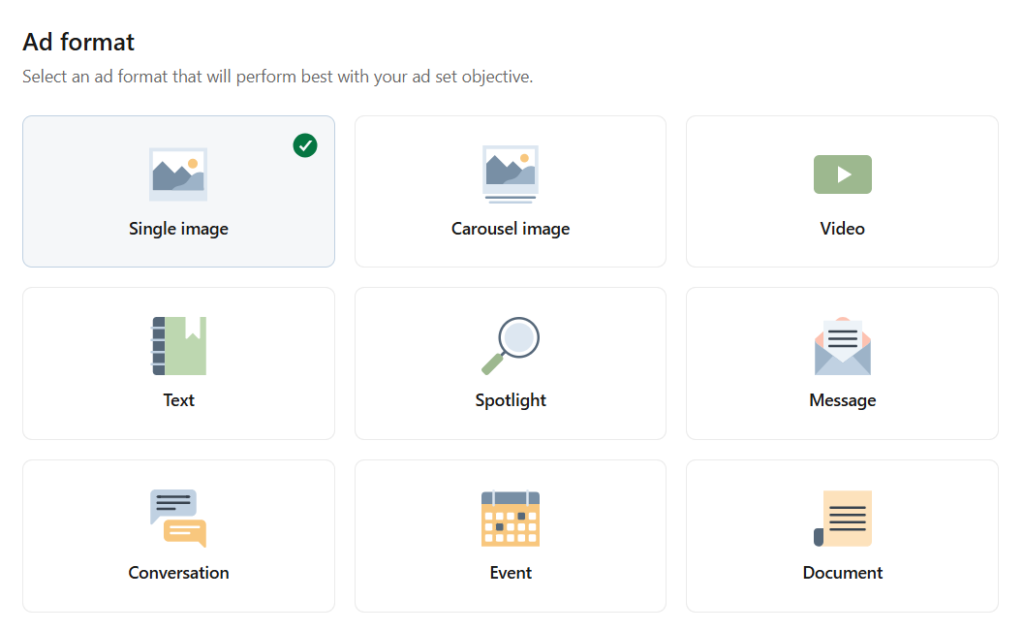
- Short videos
- Carousels and Document posts (PDFs)
- Comparison videos (Before vs After, Option A vs Option B)
- Valuable text posts with strong hooks
Pro Tip: Comparison videos and document posts usually perform very well when boosted because people spend more time on them.
Select Your Campaign Objective
This step tells LinkedIn what kind of audience to show your post to. Choosing the wrong objective can waste your entire budget.
Available objectives when boosting a post:
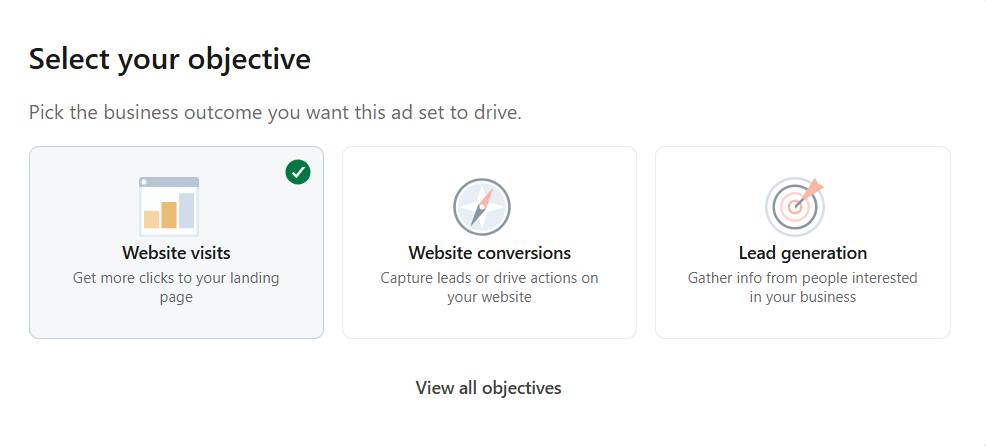
- Engagement – Get more likes, comments, and shares
- Website Visits – Drive traffic to your website or landing page
- Brand Awareness – Maximize impressions and reach
- Leads – Collect leads through LinkedIn’s lead form (if available)
Recommendation: Choose the objective according to your main goal. For example, select “Website Visits” if you want people to visit your site.
Define Your Audience (Targeting)
Keep targeting simple and focused.
- Start with only 1 or 2 targeting filters.
- Ideal audience size: 50,000 – 500,000 people.
- Too broad = wasted budget on irrelevant people.
- Too narrow = higher costs and limited delivery.
Common targeting options:
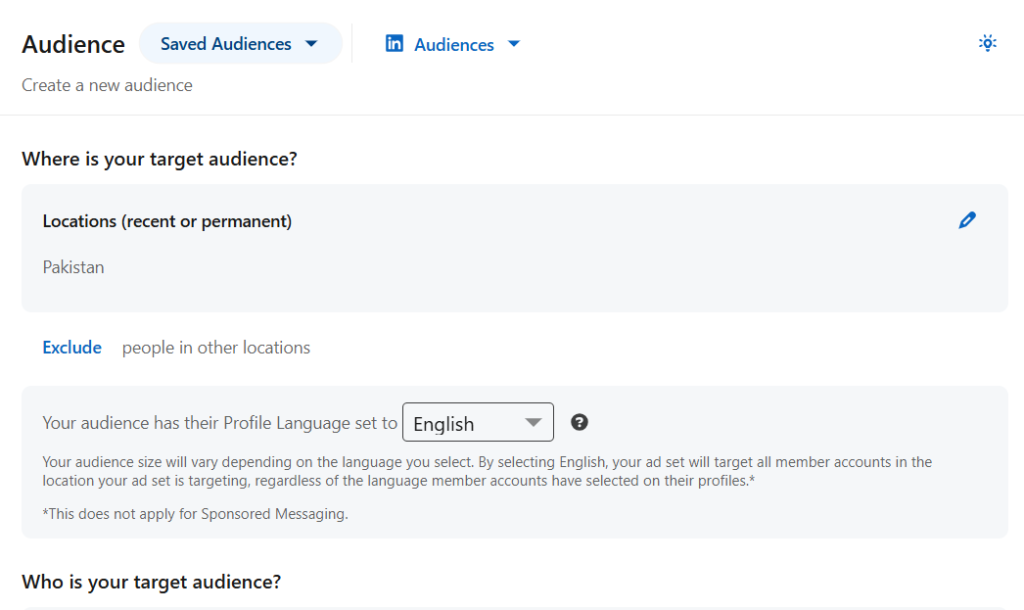
- Location
- Job Title / Job Function / Seniority
- Industry
- Company Size
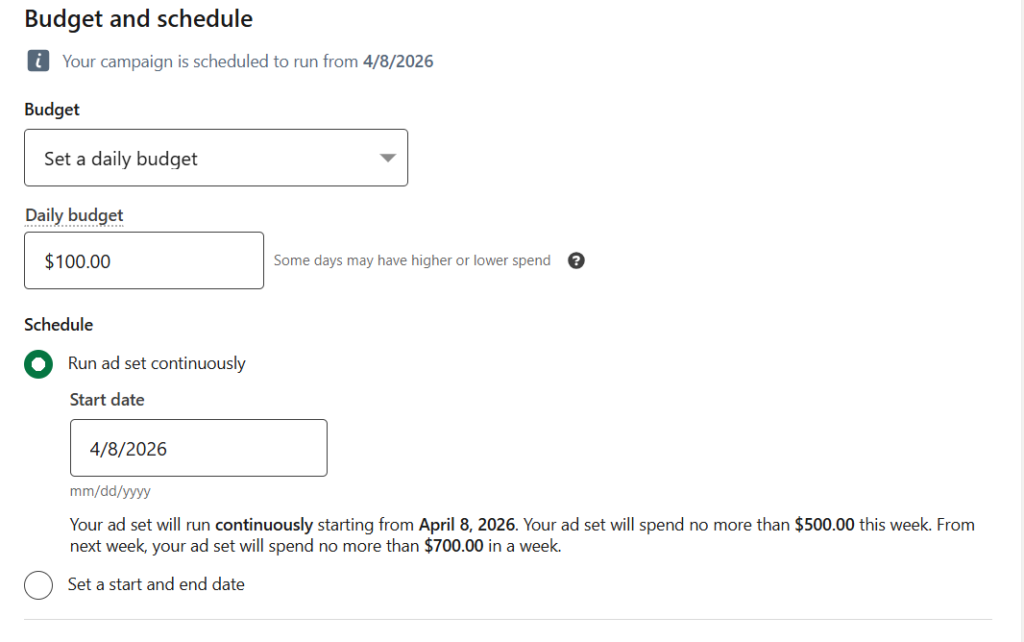
Set Your Budget and Duration
If you are also running ads on other platforms, it’s important to understand why Facebook advertising costs are rising in 2026 and how it impacts your overall marketing budget and strategy.
- Start small: $10–50 per day.
- Recommended duration: 5 to 14 days.
- Use Lifetime Budget for better delivery and control.
Review and Launch
- Carefully review your objective, audience, and post.
- Click Boost or Launch.
- Your post will now start showing as “Promoted” to your selected audience.
Bonus Tip: Use Comparison Videos or Documents as Content
Comparison videos and document-style posts (PDFs/carousels) perform exceptionally well when boosted. These formats keep people engaged longer, which improves both organic and paid performance.
How to Measure the Success of a Boosted Post
Do not rely only on vanity metrics like total impressions or clicks.
Focus on these important metrics:
- Engagement Rate (compare boosted vs organic)
- Click-Through Rate (CTR)
- Cost per Engagement / Cost per Click
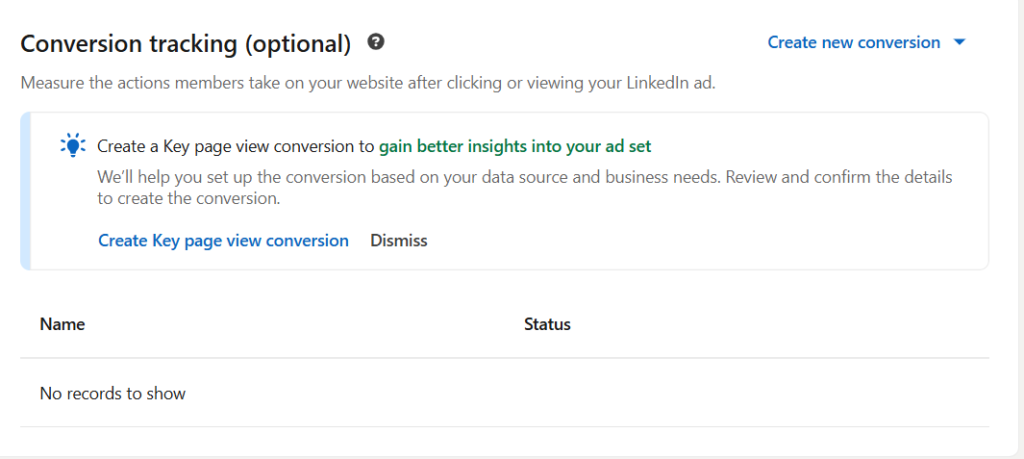
- Website traffic and conversions (use UTM links)
- Quality of leads and messages received
- Overall Return on Investment (ROI)
Use LinkedIn Analytics to compare boosted performance with organic results.
FAQs about Boosting LinkedIn Posts
Q1. Can I boost posts from a personal profile? Yes. You can boost posts from both personal profiles and company pages.
Q2. How much budget should a beginner start with? Start with a small budget of $10–30 per day for 5–7 days, then scale up what works.
Q3. When is the best time to boost a post? 2–4 hours after posting, once it starts getting some initial organic engagement.
Q4. Is boosting better than using Campaign Manager? Boosting is simpler and faster. Campaign Manager gives more advanced options and control.
Q5. Why is my boosted post not getting views? Common reasons: weak content, wrong objective, poor targeting, or too low budget.
Q6. Can I edit the post after boosting it? You can edit the original post, but changing budget, duration, or audience is limited.
Final Words
Boosting on LinkedIn works extremely well when you boost posts that are already winning organically. Pro Tip: High-quality content always performs much better when boosted. Use powerful AI tools to create compelling posts, carousels, documents, and comparison videos quickly. Check out this guide: Top 10 AI Tools to Automate WordPress in 2026 – it will help you save 70% time while creating content for LinkedIn.
Do this consistently and you can easily get 5x to 10x more views, connections, and leads from LinkedIn.
Ready to grow your LinkedIn presence?
Try boosting your next good post using the steps above and share your results in the comments.
Save this guide and share it with others who want to grow on LinkedIn.
Last updated: April 2026