
Introduction
Managing a WordPress website can quickly become overwhelming. Bloggers spend hours writing content, freelancers struggle to manage multiple client sites, and WooCommerce store owners constantly update product descriptions and customer queries.
The good news is that AI tools for WordPress are transforming how websites are managed. Today, AI can automatically generate content, optimize SEO, build page layouts, handle customer support, and automate repetitive tasks.
In this guide, you will discover the 10 best AI plugins for WordPress in 2026 that help automate your workflow, improve productivity, and save hours every week.
Once your high-quality content is ready with these AI tools, the next important step is promoting it to get maximum reach. Learn how to boost a post on LinkedIn the smart way so your content gets more views, engagement, and leads.
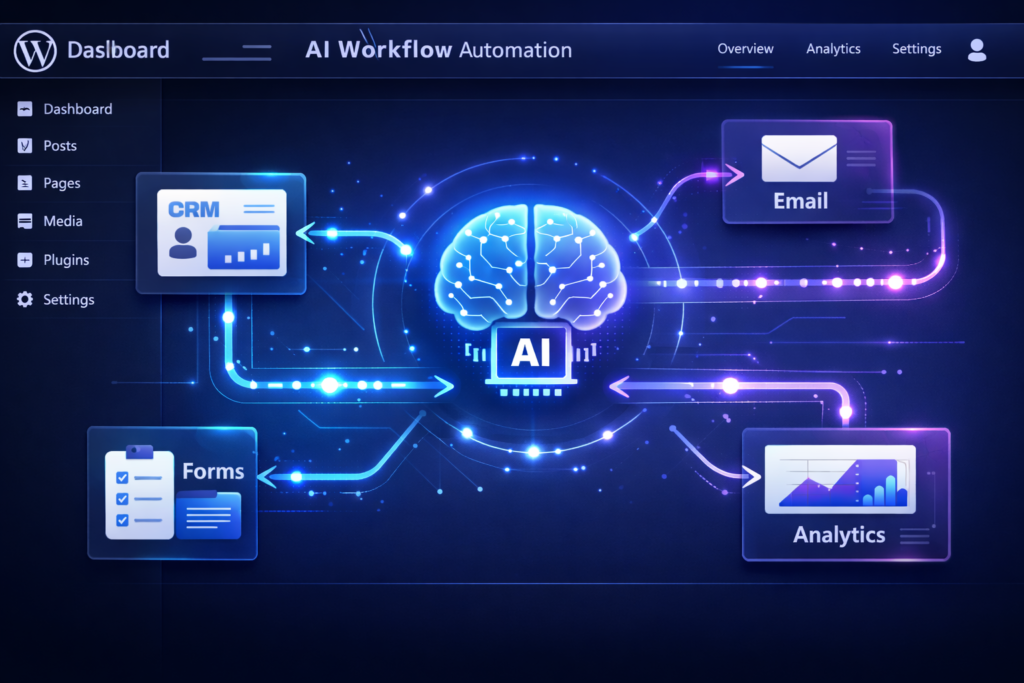
Bit Flows – Automate Workflows Without Coding
Pain: Connecting forms, CRMs, and emails manually wastes hours weekly.
Feature: AI-powered workflows inside WordPress with 100+ integrations.
Result: Stop repetitive tasks and focus on growth.
Quick Start:
- Install and activate the Bit Flows plugin in WordPress.
- Go to “Create Workflow” → Choose a trigger (e.g., form submission).
- Select an action (e.g., send email or update CRM).
- Connect apps → Activate workflow. Done!
Uncanny Automator – Multi-Step WordPress Automation
Pain: Managing multi-step workflows across plugins is overwhelming.
Feature: Plain-language AI automations connecting WordPress plugins and apps.
Result: Automate content publishing, social sharing, and email campaigns.
Quick Start:
- Install Uncanny Automator plugin.
- Create a new “Recipe” → Select trigger (e.g., new post published).
- Add actions (AI summary, social share, email notification).
- Activate recipe → Automation starts immediately.
AI Engine – All-in-One AI Toolkit
Pain: Installing multiple AI plugins is messy and slows down your site.
Feature: Chatbots, content generation, image creation, and AI forms in one plugin.
Result: Simplifies workflow and reduces plugin overload.
Quick Start:
- Install AI Engine plugin.
- Choose a module: Chatbot, Content Generator, or Image Generator.
- Configure basic settings → Enter prompt or topic.
- Generate content or activate AI chat → Done.
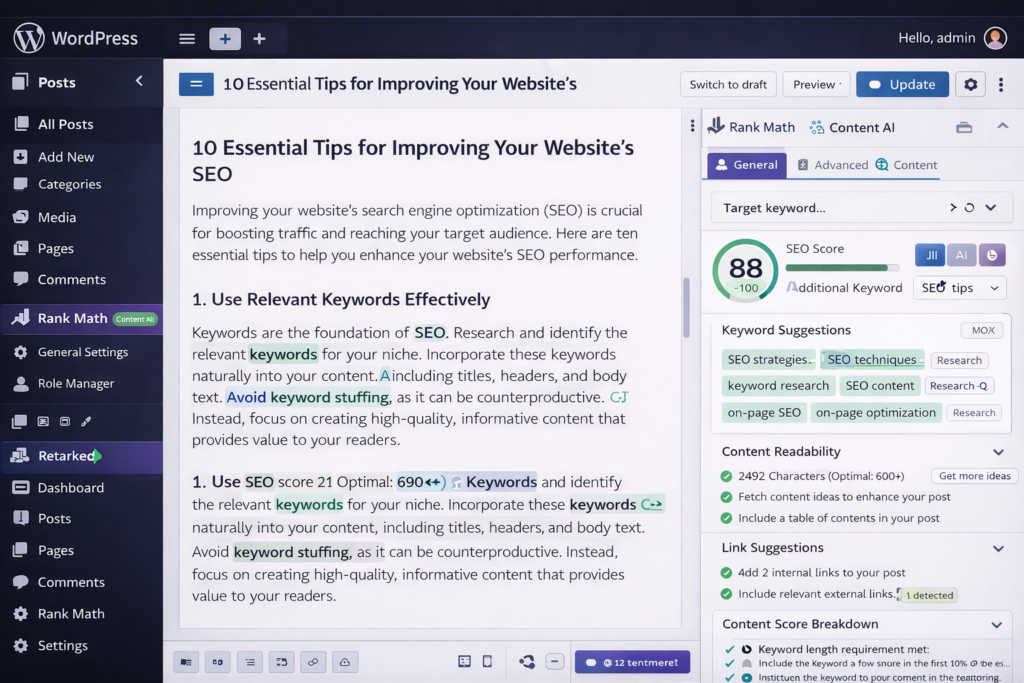
Rank Math Content AI – Rank Higher on Google
Pain: Bloggers struggle to optimize content and rank on Google.
Feature: AI suggests keywords, meta descriptions, headings, and readability fixes.
Result: Publish SEO-optimized posts faster and outrank competitors.
Quick Start:
- Install Rank Math Content AI plugin.
- Open a new post → Click Content AI panel.
- Enter topic → Generate outline.
- Generate content → Edit → Publish.
Elementor AI – Fast Page Design
Pain: Designing client websites manually is slow and repetitive.
Feature: AI generates layouts, text, and images directly in Elementor editor.
Result: Launch professional websites faster.
Quick Start:
- Install Elementor Pro (Elementor AI included).
- Open a page → Click AI assistant panel.
- Enter prompt (e.g., “Create hero section with CTA”).
- AI generates layout and content → Customize → Save.
GetGenie AI – WooCommerce & Content Automation
Pain: Writing product descriptions and blog posts takes hours daily.
Feature: Generates high-converting content automatically with brand voice.
Result: Save time and boost WooCommerce sales.
Quick Start:
- Install GetGenie AI plugin.
- Open product editor → Click GetGenie AI panel.
- Enter product details → Generate description.
- Review → Publish product.
Divi AI – Build Sites Instantly
Pain: Creating full websites from scratch is time-consuming.
Feature: AI generates full layouts, images, and sections inside Divi Builder.
Result: Launch professional sites quickly without manual designing.
Quick Start:
- Install Divi Theme + Divi AI plugin.
- Open page → Click AI assistant panel.
- Enter prompt (e.g., “Create services section”).
- AI generates layout → Customize → Save & publish.
Tidio AI – 24/7 Customer Support
Pain: Answering customer queries round-the-clock is impossible without staff.
Feature: AI chatbot handles FAQs, sales, and support automatically.
Result: Reduce support tickets and improve customer satisfaction.
Quick Start:
- Install Tidio plugin → Enable AI assistant.
- Customize responses for FAQs and product queries.
- Activate chatbot → Appears on website.
- Monitor analytics → Adjust if needed.
Jetpack AI Assistant – AI Writing in WordPress
Pain: Writing and editing blog content manually slows you down.
Feature: Generates text, summaries, lists, and rewrites inside Gutenberg editor.
Result: Quick blogging without extra plugins or distractions.
Quick Start:
- Install Jetpack plugin → Enable AI Assistant.
- Open post → Highlight paragraph → Click AI suggestion panel.
- Choose action (rewrite, summarize, create bullet list).
- Accept AI suggestion → Publish.
10Web AI Builder – Full Website Automation
Pain: Launching client websites quickly is stressful and time-consuming.
Feature: AI builds, hosts, and optimizes websites from simple prompts or URL clones.
Result: Agencies can scale client work without hiring extra developers.
Quick Start:
- Sign up on 10Web → Choose AI Website Builder.
- Enter website description or URL to clone.
- AI generates layout, images, and content.
- Review → Customize → Launch website.
Conclusion: Actionable AI for WordPress
- Combine tools: Bit Flows + AI Engine + Rank Math → Save 50–70% workflow time.
- Start small: Try free tiers first, see instant productivity gains.
- Result: Faster content creation, automated WooCommerce, client website management, and 24/7 support.
💬 Call to Action:
Try one tool today, automate your first workflow, and feel the difference in hours saved!